


 8 mins read
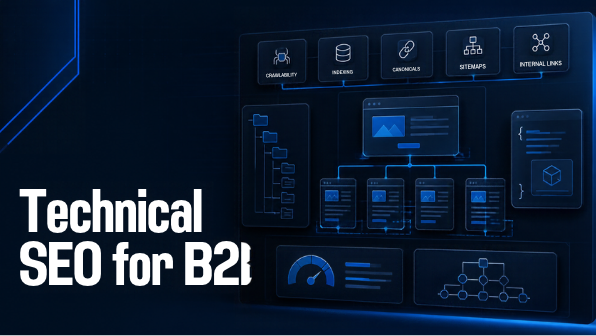
Technical SEO for B2B websites is the work that helps search engines reliably discover, crawl, render, understand, index, and consolidate the pages that matter to revenue.
It is not the whole SEO strategy. A technically perfect site with weak content and vague commercial pages can still struggle. But technical problems can quietly stop strong pages from performing at all.
The practical version: Make the important pages easy to crawl, index, canonicalize, render, and understand while preventing duplicate, low-value, or broken URLs from wasting search-engine attention.
Why technical SEO matters more on B2B sites than it looks
B2B websites often become complicated slowly: service pages, industry pages, location pages, gated resources, campaign landing pages, blog archives, tracking parameters, migration redirects, CRM forms, and JavaScript components all pile up over time.
None of those is automatically a problem. Trouble starts when search engines receive mixed signals about which URLs matter, which version is preferred, or whether a page should be indexed at all.
Technical SEO is the infrastructure underneath a wider B2B SEO strategy.
1. Confirm that important pages are indexable
Start with the pages closest to commercial value: homepage, service pages, priority industry pages, comparison pages, case studies, key guides, and expert profiles.
- the page returns a successful HTTP status
- it is not blocked by robots.txt
- it does not carry an accidental noindex directive
- it has an intentional canonical
- it is linked internally from crawlable pages
- the main content is available to search engines
Google’s Search Essentials remain the best baseline for what a page needs to be eligible for Search. See Google Search Essentials.
2. Keep URL structure simple and descriptive
Google’s URL guidance recommends simple, descriptive, human-readable structures. For a B2B site, URLs should usually mirror the information architecture instead of exposing every filter, parameter, or tracking variation the CMS can invent.
Good examples are straightforward: /b2b-seo-agency/, /case-studies/, or /blog/b2b-seo/technical-seo-b2b/.
See Google’s current URL structure guidance.
3. Keep canonical signals consistent
Canonicalization tells search engines which version of similar URLs should be treated as the preferred one.
Problems often appear when a site has HTTP and HTTPS variants, www and non-www variants, tracking parameters, duplicate archives, multiple page variants, or JavaScript that changes canonical tags after rendering.
The safest approach is consistency. Internal links, sitemap URLs, redirects, and canonical tags should all point toward the same preferred URL wherever possible.
4. Use XML sitemaps as a clean index inventory
An XML sitemap should contain the canonical, indexable URLs you actually want search engines to discover.
Do not treat the sitemap as a dumping ground for every URL WordPress can generate. Exclude noindex pages, redirects, broken URLs, and obvious duplicates.
5. Control thin taxonomy and archive pages
WordPress can create categories, tags, archives, pagination, attachment pages, and other URL types automatically. Some may be useful. Many are not.
The test is simple: does this page have a unique job and enough value to deserve search visibility? A category page that helps buyers explore a meaningful topic cluster may be useful. A tag archive with one post and no context probably is not.
6. Improve internal crawl paths
Internal links help search engines and buyers understand how pages relate.
- strategy article → service page
- service page → case study
- case study → relevant service
- informational guide → comparison or use-case page
- expert article → author or founder page
- related article → deeper supporting article
Our B2B keyword research guide explains how search intent can help determine which page should own each topic.
7. Audit redirect chains and broken links
Site migrations, deleted pages, renamed slugs, and campaign URLs create redirect debt.
- redirect old URLs directly to the best current equivalent
- avoid chains where URL A redirects to B and B redirects to C
- fix internal links so they point to the final destination
- return 404 or 410 when there is genuinely no useful replacement
Redirecting every deleted page to the homepage usually makes both relevance and user experience worse.
8. Make JavaScript predictable
Modern websites often depend on JavaScript for navigation, forms, filters, content blocks, and personalization. That is not automatically bad for SEO.
The risk is when critical content, links, canonicals, or indexability signals change unpredictably after rendering. Keep important search signals as stable and server-visible as possible.
9. Monitor Core Web Vitals without making them the whole strategy
Performance matters for users, especially on mobile and slower connections. Core Web Vitals provide useful experience metrics, including Interaction to Next Paint (INP), which replaced First Input Delay.
But improving a performance score does not replace content quality, relevance, links, or commercial intent. Treat Core Web Vitals as one technical layer, not the entire SEO program.
10. Keep structured data accurate
Structured data can help search engines understand page entities and eligibility for supported search features.
Typical B2B use cases can include Organization, Person, Article, BreadcrumbList, and Product or SoftwareApplication where genuinely applicable.
Do not create markup for claims, reviews, FAQs, or entities that are not actually present on the page. Schema is a clarity layer, not a substitute for visible content.
11. Protect the site from index bloat
Index bloat happens when search engines discover lots of low-value URLs that do not deserve to compete.
- search result pages
- filter combinations
- session or tracking parameters
- empty taxonomy archives
- thin location pages
- duplicate campaign pages
- attachment pages
The goal is not the smallest possible index. It is a cleaner index where most indexed pages have a clear job.
12. Build technical SEO around commercial architecture
Technical SEO becomes more useful when it supports pages that matter to pipeline. Service pages should be crawlable, canonical, internally linked, and supported by relevant content. Case studies should connect to the services they prove. High-intent comparisons should not be buried six clicks deep.
This also strengthens the entity relationships discussed in our GEO vs SEO vs AEO guide.
Technical SEO checklist for B2B websites
| Area | Check | Priority |
|---|---|---|
| Indexability | Important URLs return 200 and are indexable | Critical |
| Canonicals | Preferred URLs are consistent | Critical |
| Sitemap | Only canonical indexable URLs included | High |
| Internal links | Money pages are reachable and supported | High |
| Redirects | No unnecessary chains or broken destinations | High |
| Performance | Mobile experience and Core Web Vitals monitored | Medium |
A 30-day technical SEO plan
Week 1: Crawl the site, review Search Console indexing issues, check the sitemap, and identify the most commercially important URLs.
Week 2: Fix indexability, canonicals, redirect chains, broken internal links, and accidental duplicates.
Week 3: Improve internal linking, page depth, structured data accuracy, mobile rendering, and performance bottlenecks.
Week 4: Resubmit clean sitemaps where needed, monitor priority URLs, and document what should be checked monthly versus quarterly.
Frequently asked questions
What is technical SEO?
Technical SEO is the process of improving how search engines discover, crawl, render, index, consolidate, and understand a website’s pages.
Does technical SEO improve rankings by itself?
It can remove barriers that hold strong pages back, but it does not replace useful content, authority, buyer relevance, or commercial page quality.
How often should a B2B site run a technical SEO audit?
Monitor critical issues continuously and run deeper audits after migrations, redesigns, major CMS changes, large content launches, or when indexing and traffic patterns change materially.
A real-world technical SEO triage example
Imagine a B2B site has 500 URLs, but only 60 genuinely matter to revenue. Search Console shows indexing issues, the sitemap contains old campaign pages, several service pages canonicalize incorrectly, and internal links still point through redirect chains.
The wrong response is to start optimizing Core Web Vitals on every page. The better sequence is:
- identify the 60 revenue-relevant URLs
- confirm they are indexable and canonical
- remove broken or duplicate URLs from the sitemap
- fix internal links and redirect chains
- check whether important pages are too deep in the site structure
- then improve rendering and performance issues that affect users or search access
That order matters. Technical SEO is mostly prioritization. Fixing ten issues on pages nobody needs is less valuable than fixing one canonical error on a high-intent service page.
What to check every month
- new indexing errors in Search Console
- unexpected growth in indexed URL count
- new redirect chains or broken internal links
- sitemap URLs returning anything other than 200
- canonical changes on commercial pages
- important pages losing internal links
- mobile performance regressions after plugin or theme updates
A quarterly audit can go deeper into crawl patterns, taxonomy, structured data, JavaScript rendering, and site architecture. Monthly checks should be boring. Boring is good here. Technical SEO becomes expensive when the first sign of a problem is a traffic drop.
Final takeaway
Technical SEO should make the site easier to understand, not more complicated. Keep important URLs indexable, canonical, internally connected, technically accessible, and aligned with the site’s commercial architecture.