


 3 mins read
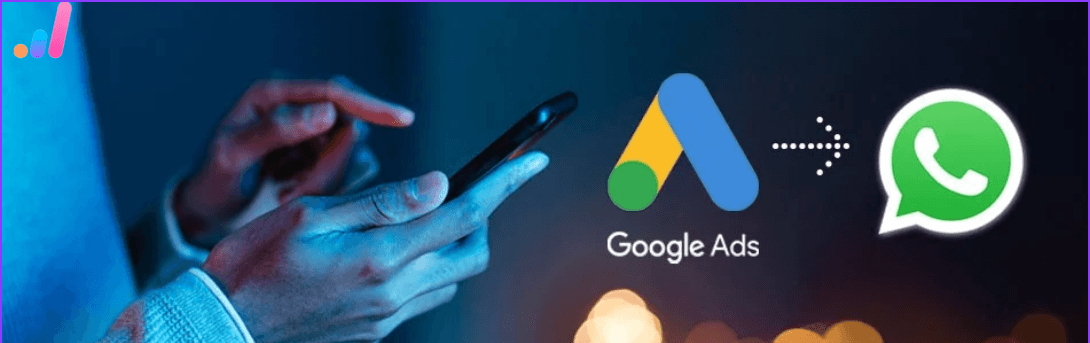
Looking to make your advertising campaigns more engaging and interactive? The Google Ads WhatsApp Extension is a powerful tool that allows businesses to connect with potential customers directly through WhatsApp, making communication seamless and improving lead conversions. This guide will take you through everything you need to know about using the WhatsApp Extension in Google Ads.
Short answer: The Google Ads WhatsApp Extension adds WhatsApp as a contact option on your ads, so people who click are taken to your WhatsApp chat and can message your business instantly. To use it, verify your WhatsApp Business account, add the extension in Google Ads, set a default message and attach it to your campaigns.
What Is the Google Ads WhatsApp Extension?
The Google Ads WhatsApp Extension is an ad feature that integrates WhatsApp as a communication option for users. When someone clicks on your ad, they are redirected to your WhatsApp chat, allowing them to message your business instantly. This makes it easy to answer queries, provide details, or close deals directly through a platform millions of people use daily.
Why Use WhatsApp in Your Google Ads Campaigns?
- Instant Engagement: WhatsApp is one of the most widely used messaging platforms globally. Integrating it into your ads allows customers to connect with you instantly.
- Improved Lead Quality: By offering a direct communication channel, you can engage with highly interested users and convert leads effectively.
- Enhanced Customer Experience: Providing immediate responses to customer queries helps build trust and foster better relationships.
- Increased Conversion Rates: Real-time communication increases the likelihood of converting prospects into customers.
How to Set Up WhatsApp Extension in Google Ads
Follow these simple steps to add WhatsApp to your Google Ads campaigns:
- Verify Your Business Account: Ensure you have a verified WhatsApp Business account connected to the same phone number as your Google account.
- Access Ad Extensions in Google Ads: Navigate to the “Extensions” tab in your Google Ads dashboard.
- Select WhatsApp Extension: Choose the WhatsApp Extension option and input your business phone number.
- Customize the Chat Message: Set a default message template that users will send when they start a conversation.
- Link the Extension to Campaigns: Attach the WhatsApp Extension to the campaigns or ad groups where you want it to appear.
- Save and Launch: Once everything is set, save your changes and publish your campaigns.
Best Practices for Using WhatsApp Extensions
- Be Responsive: Ensure you have a dedicated team or automation to respond promptly to messages.
- Use Clear Call-to-Actions (CTAs): Encourage users to message you with phrases like “Chat with us now!” or “Message us for instant support.”
- Optimize Message Templates: Create pre-filled messages to streamline communication and help users ask the right questions.
- Track Performance: Use Google Ads metrics to monitor the effectiveness of your WhatsApp Extension and adjust strategies as needed.
- Leverage WhatsApp Features: Utilize WhatsApp’s media-sharing and catalog options to showcase products or services within the chat.
Measuring Success
- Conversion Tracking: Monitor how many leads or sales are generated via WhatsApp chats.
- Engagement Metrics: Assess the number of conversations initiated and the response time.
- ROI Analysis: Calculate the return on investment for campaigns with the WhatsApp Extension to understand its impact on your marketing goals.
Industries That Benefit from WhatsApp Extensions
- E-commerce: Provide real-time assistance to shoppers.
- Real Estate: Address inquiries about property listings instantly.
- Healthcare: Schedule appointments or answer patient questions quickly.
- Travel and Hospitality: Handle booking inquiries or share travel package details on the go.
Frequently asked questions
What is the Google Ads WhatsApp Extension?
It is an ad feature that integrates WhatsApp as a communication option. When someone clicks your ad, they are redirected to your WhatsApp chat so they can message your business instantly.
How do I set up the WhatsApp Extension in Google Ads?
Verify your WhatsApp Business account, open the Extensions tab in Google Ads, select the WhatsApp Extension and enter your business phone number, customize the chat message, link it to your campaigns or ad groups, then save and launch.
How do I measure the success of the WhatsApp Extension?
Monitor conversion tracking for leads or sales generated through WhatsApp chats, engagement metrics such as conversations started and response time, and the return on investment of campaigns using the extension.
Which industries benefit from WhatsApp Extensions?
E-commerce, real estate, healthcare, and travel and hospitality can all use it to answer questions, schedule appointments or handle bookings in real time.
Final Thoughts
The Google Ads WhatsApp Extension is a game-changer for businesses aiming to offer personalized and immediate communication. By integrating this feature into your advertising strategy, you can create meaningful interactions that drive conversions and improve customer satisfaction.
Looking to maximize the impact of your Google Ads campaigns? RSXigital, a leading digital marketing agency, specializes in crafting high-performance campaigns tailored to your business needs. From optimizing ad extensions like WhatsApp to driving revenue growth, RSXigital builds marketing strategies focused on real results. Book a call today or explore our PPC services to elevate your advertising game!
Get started today and watch your engagement soar!